Skip to content

CRM & workflow automation for small businesses

More customers.Less admin.

We automate CRM, inquiry and follow-up processes for small businesses – without replacing your systems.

Book a free 30-minute process audit
  • Less manual work
  • No lead gets lost
  • More time for customers

What will soon runautomatically in your business?

From the first inquiry to a processed order and the next follow-up. We automate repetitive work around your existing systems, with checks and approvals where you need them.

  • Order & ERP Automation

    Turn incoming orders into structured, checked data ready for your ERP. Reduce manual entry and flag missing information or discrepancies for review.

    Explore order automation
  • Inquiry & CRM Automation

    Capture incoming inquiries, update customer records and assign the next action. Give your team the information they need to respond.

    Explore CRM automation
  • Follow-up & Customer Retention

    Keep open quotes and customer relationships moving. Automate reminders, follow-up tasks and agreed communications so your team knows when to act.

    Explore follow-up automation
  • Custom Automation & System Integration

    Your processes do not have to fit a standard template. We develop custom workflows and integrations around your business rules, existing software and approval requirements.

    Using a different ERP, a legacy application or custom-built software? We assess the available interfaces and design the connection your process needs.

    Discuss your process

How it works

From understanding your process to automation your team can use.

  1. We review your workflow, existing systems and repetitive tasks. Together, we identify a practical automation opportunity and define what a successful result should look like.

  2. Before development starts, we agree on the scope, costs, responsibilities and acceptance criteria. We clarify which steps will run automatically and where your team will review or approve.

  3. We develop the workflow and test agreed scenarios, including exceptions. We review the results with your team and confirm that the acceptance criteria are met before launch.

  4. With an agreed support plan, we monitor the automation and help resolve operational issues. Further improvements are scoped and agreed as your business needs evolve.

Automation we use in our own business

Practical examples from our internal operations — showing how we connect information, reduce manual handling and organise recurring work.

Internal automation

Email & Document Processing

The task
Incoming emails and documents need to be reviewed, categorised and stored where they can be found again.
Our workflow
We connect incoming email with document management to organise supported documents into defined categories.
Process
  1. Incoming email
  2. Document capture
  3. Classification
  4. Document management

This workflow supports document organisation. It does not, by itself, approve invoices, post accounting entries or make payments.

Internal automation

Inquiry Capture & Routing

The task
Website inquiries need to be captured consistently and made available for further handling.
Our workflow
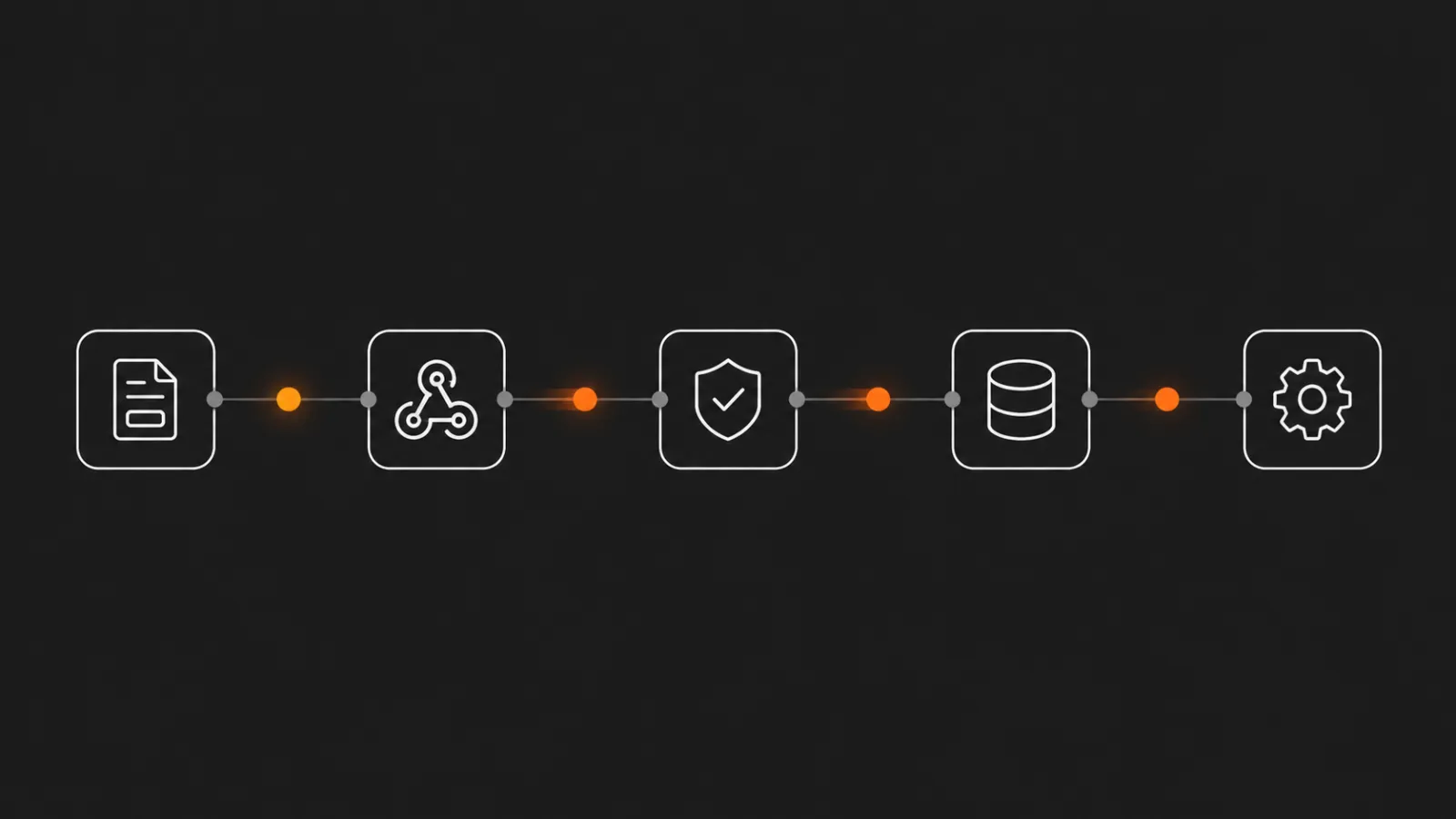
We receive website form submissions through a webhook, check the required information and store the records in PostgreSQL for subsequent processing.
Process
  1. Website form
  2. Data validation
  3. Structured storage
  4. Further processing

The workflow handles intake and data organisation. Reviewing the inquiry and deciding how to respond remain separate steps.

Five steps joined in a line: a form, a webhook, a shield with a check mark for validation, a database, and a gear for automated processing.
Illustration

Internal automation

Content & Video Automation

The task
Preparing content involves moving information and media between several tools before a post or video is ready.
Our workflow
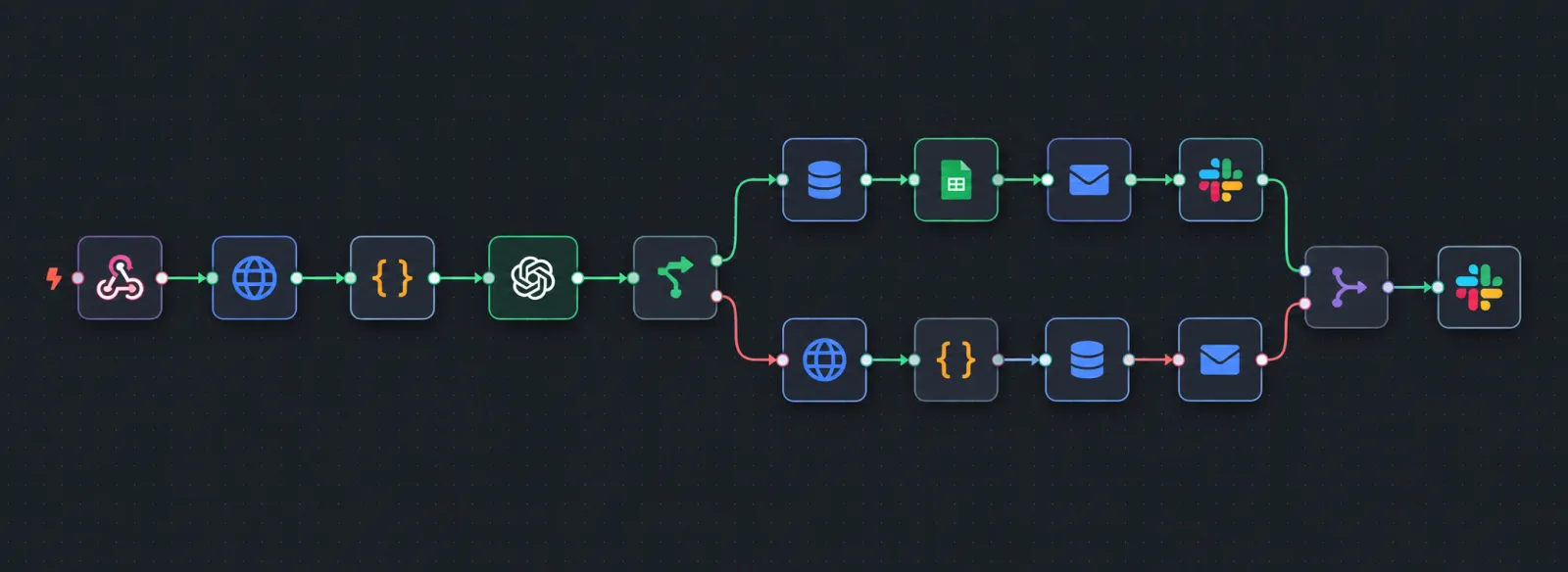
We connect structured source data, AI-assisted content preparation, media handling and video generation in a coordinated workflow.
Process
  1. Structured data
  2. Content preparation
  3. Media handling
  4. Video or post generation
  5. Publishing workflow

Tools used include Google Sheets, Google Drive, AI services, Shotstack, HeyGen and n8n.

Workflow diagram. A webhook trigger feeds an HTTP request, a data transformation and an OpenAI step, then a branch. One path writes to a database and a Google Sheets spreadsheet, sends an email and posts to Slack; the other makes a second HTTP request, transforms the data, writes to a database and sends an email. Both paths merge into a final Slack notification.
Internal system

What could this look like in your business?

These are examples of our internal workflows. Your solution is designed around your processes, available system connections and approval requirements.

Book a free 30-minute process audit

Your Systems. Connected.

Automation built around the way you work.

Your business already relies on software, documents and established processes. We develop custom workflows and integrations that connect them and reduce repetitive manual work.

What we connect

  • CRM & Customer Information

    Connect incoming inquiries with customer records, responsibilities and follow-up tasks. Keep relevant information available where your team needs it.

  • ERP & Order Processing

    Prepare and transfer order information, check it against available business data and include approvals where your process requires them.

  • Email & Documents

    Capture information from supported emails and documents, organise it according to agreed rules and route it for further processing.

  • Spreadsheets & Business Data

    Connect structured spreadsheets and accessible databases to your workflows, reducing repeated copying and manual updates.

  • Custom & Legacy Applications

    We assess connection options for in-house software and older business applications, including supported import and export methods.

Designed around your business rules

We define how information should move, which checks are required and when your team needs to make a decision.

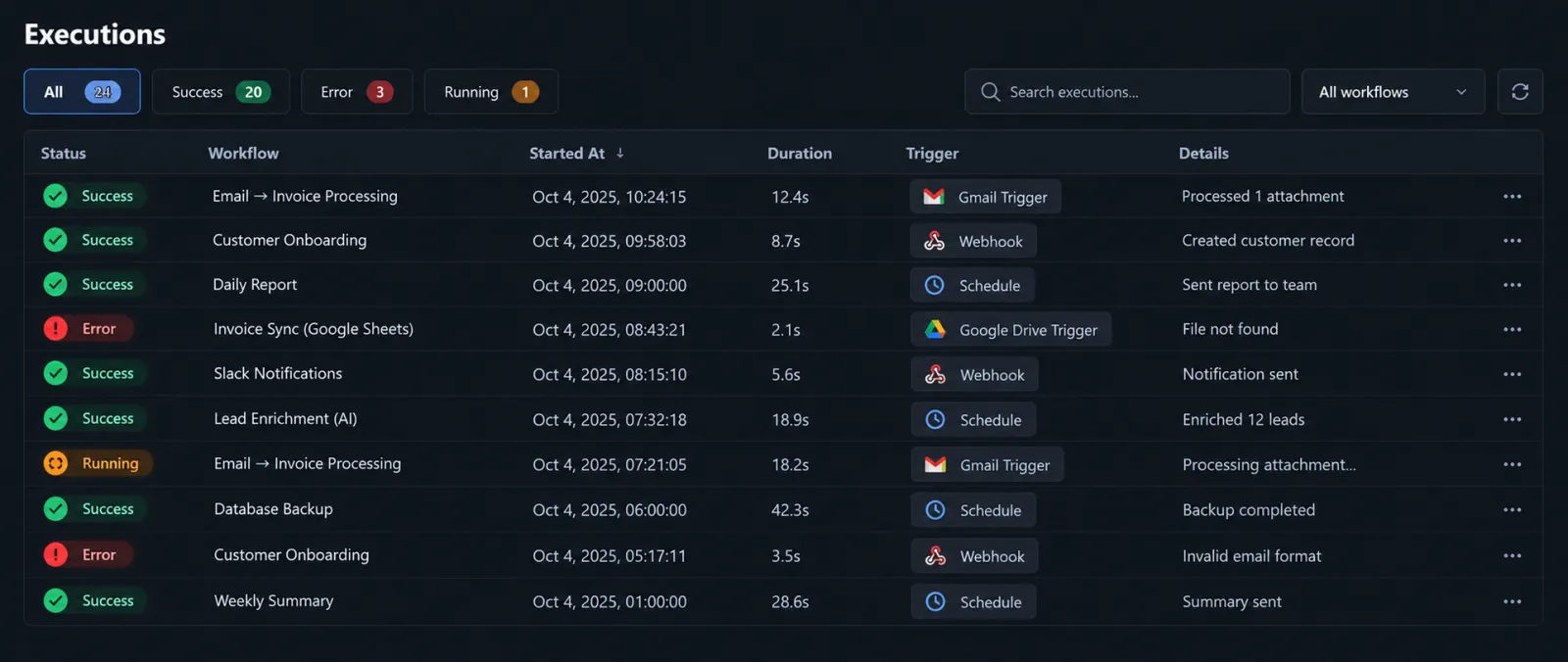
Your solution can include validation, approval steps, processing records and error notifications, depending on the agreed scope and available system capabilities.

Start with the connection that matters most

We assess your current process, available interfaces and access requirements before proposing an implementation.

The scope, costs, responsibilities and acceptance criteria are agreed before development begins. Monitoring and ongoing support can be included in a service agreement.

Which systems would you like to connect?

Show us where your team repeatedly transfers information or coordinates work between applications.

Book a free 30-minute process audit

Who runs it after launch

Support beyond launch

Keep your automation supported as your business evolves. We agree on monitoring, support responsibilities and change management before ongoing service begins.

Discuss your support needs

Packages

Start with one repetitive task or connect an entire business process.

Each package includes a defined implementation project and an agreed monthly operations and support plan. Scope and costs are confirmed before development begins.

  • Basis

    Automate one clearly defined routine task, such as sorting and routing incoming emails.

    One-time setup fee + monthly service fee.

  • Standard

    Connect a recurring business process, from capturing an inquiry to updating your CRM and assigning the next action.

    One-time implementation fee + monthly service fee.

  • Premium

    Build a custom solution for complex processes, business rules and integrations across multiple systems.

    Custom project fee + monthly service fee.

Clear scope. Clear costs.

Your proposal separates implementation costs from monthly service fees. Required third-party licences, hosting and usage charges are identified and billed separately unless explicitly included.

Not sure where to start? In a free 30-minute process audit, we discuss your workflow and identify what needs further assessment.

Book a free 30-minute process audit

Let’s look at your process

Which recurring task would you like to simplify?

In a free, no-obligation 30-minute conversation, we review one workflow, the systems you use and the manual work involved.

Together, we explore where automation could help and what further information would be needed for a proposal.

Book a free 30-minute process audit

The calendar is loaded from Cal.com when you press the button. Nothing is requested from them before that, and they set no cookie until you use the form.

Prefer to send a message?

Tell us briefly what you would like to improve. We’ll review your enquiry and get back to you.

We use the information you provide to respond to your enquiry and discuss your requirements. For details, please see our Privacy Policy.

Contact us directly